Master Project Controls & Build a High Paying Career in Project Management
Develop practical skills in Project Planning, Scheduling, Cost Management, Earned Value Management, Project Reporting, and Project Analytics through hands-on training and real-world project scenarios.
Key details:
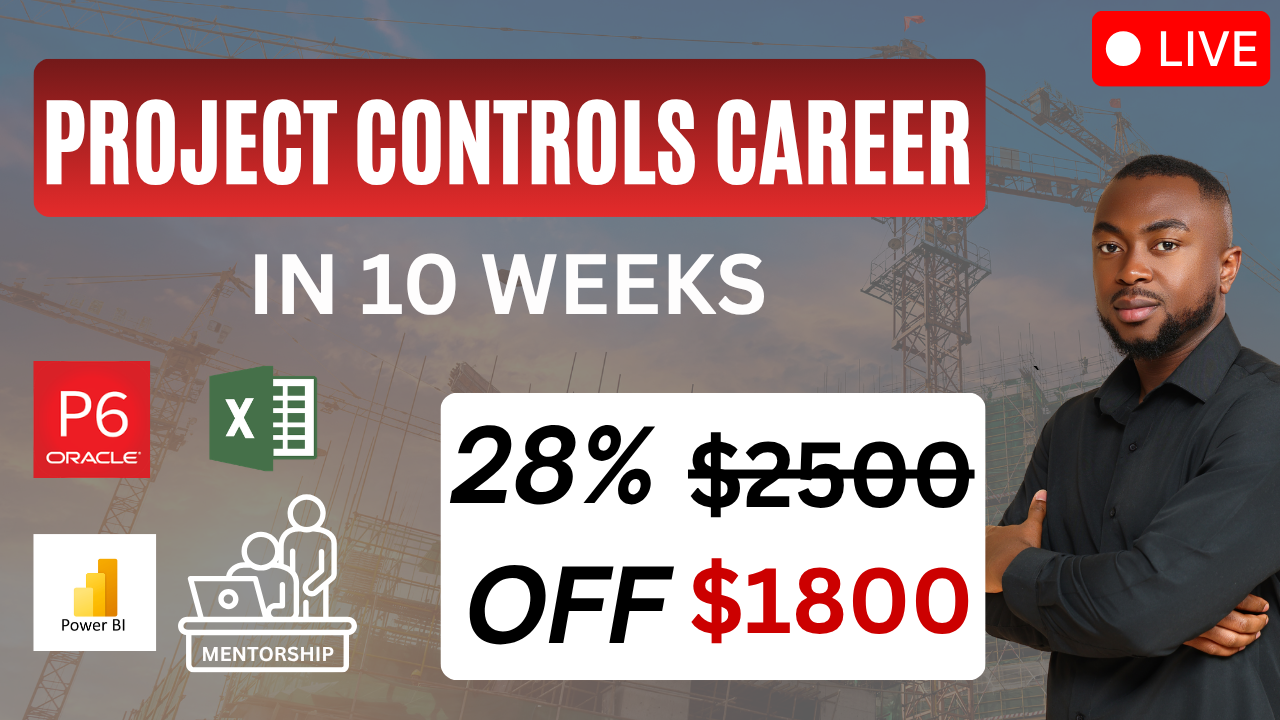
10 Weeks | 20 Hands-On Classes || Live Instructor-led Virtual Training || Mentorship & Career Support
Proposed Start Date - February 1, 2027
Class Sections - Tuesdays and Thursdays 7pm-9pm EST
Mentorship Sessions - Saturdays 10am - 12pm EST
WHY THIS COHORT?
Modern projects generate enormous amounts of data—schedules, budgets, costs, progress, forecasts, and performance metrics.
Project Controls professionals turn that information into insights that help project teams make better decisions.
In this cohort, you'll learn how to work with the tools and techniques used to plan, monitor, analyze, and report project performance.
You won't just learn concepts. You'll work with project data and build practical skills you can demonstrate to employers.
WHAT YOU WILL LEARN
Don't Just Learn Project Controls. Practice It.
Throughout the cohort, you'll work through realistic project scenarios and hands-on exercises designed to simulate the work performed by Project Controls professionals. Learn Project Management Fundamentals, understand the project lifecycle, key project management concepts, project roles, and how Project Controls supports successful project delivery.
Planning & Scheduling
Learn how project schedules are developed, updated, and analyzed.
Primavera P6
Build and manage professional project schedules using Primavera P6.
Cost Management
Understand budgets, actuals, forecasts, and cost performance.
Earned Value Management
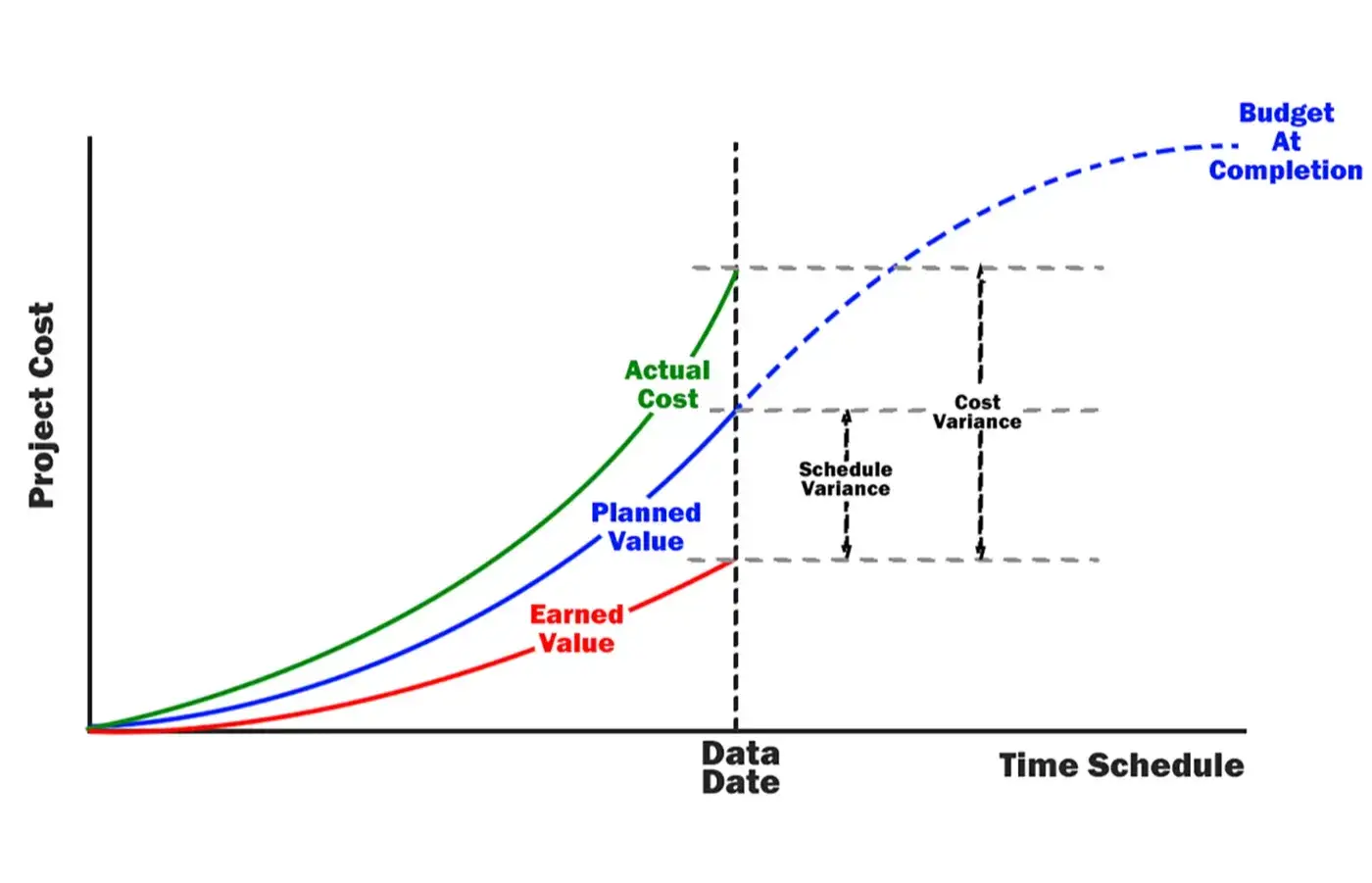
Learn PV, EV, AC, CPI, SPI, EAC, ETC, and other key performance metrics.
Performance Reporting
Create reports that communicate project status, performance, risks, and trends.
Project Analytics
Use project data to identify trends, measure performance, and support decision-making.
Forecasting & Analysis
Analyze project performance and develop forecasts to identify potential issues early.
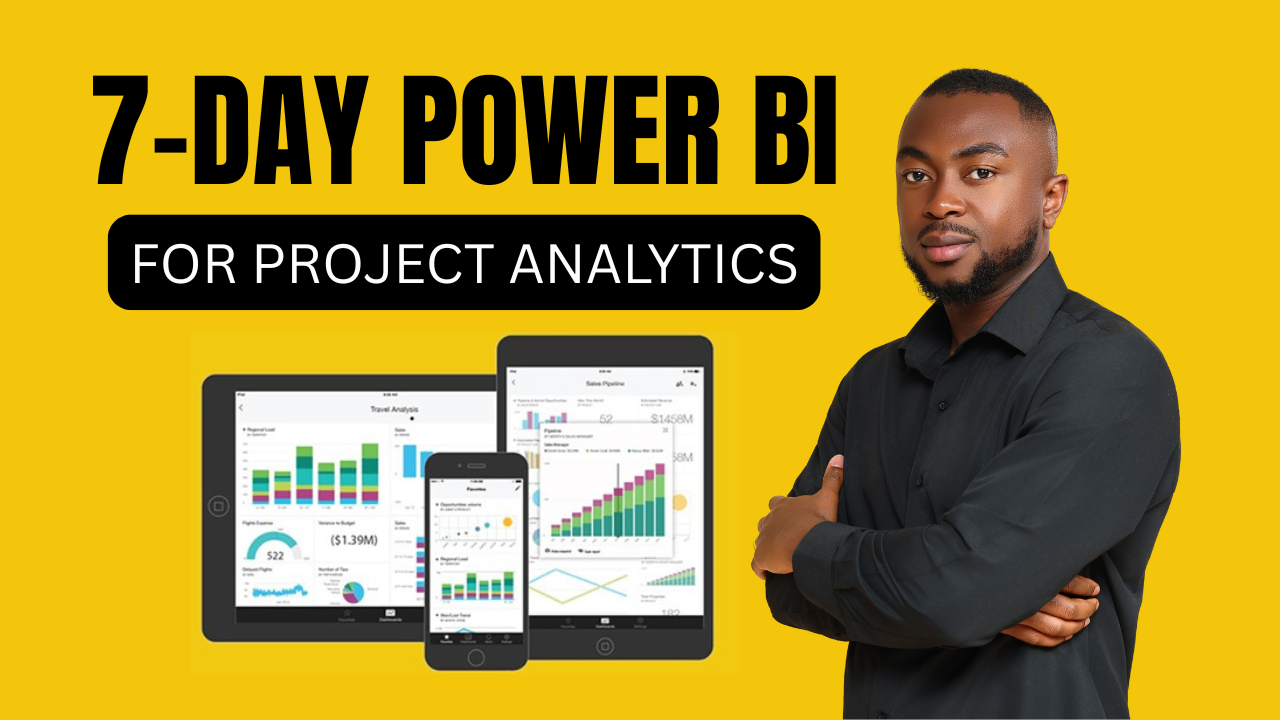
Power BI for Projects
Build professional dashboards using project schedule, cost, and performance data.
COHORT DETAILS
10 Weeks | 20 Section| Live Instructor-Led Training
PROPOSED START - February 1, 2027
CLASS SESSIONS - Tuesdays and Thursdays, 7pm to 9pm EST
MENTORSHIP SESSIONS - Saturdays 10am - 12pm EST
FORMAT: Online Platform (Virtual)
Includes:
Hands-on training + projects + mentorship + career support + certificate of completion
MENTORSHIP AND CAREER SUPPORT
You're Not Learning Alone
As a cohort member, you'll receive guidance throughout the program—not just recorded lessons.
We'll help you develop the skills and confidence needed to take what you've learned and apply it professionally.
Career support includes:
- Resume development
- LinkedIn optimization
- Interview preparation
- Project Controls career guidance
- Hands-on project guidance
- Industry insights
- Mentorship and Q&A
ADDTIONAL PERKS FOR THE CLASS
In addition to the live cohort and mentorship, your enrollment includes free access to our Excel, Power BI, and Project Controls online courses, giving you additional self-paced training and resources to strengthen your technical skills alongside the live cohort experience.
You’ll also get access to the CYC Skills Project Controls Community for networking, ongoing support, career discussions, and opportunities to connect with other professionals.

MEET YOUR INSTRUCTOR
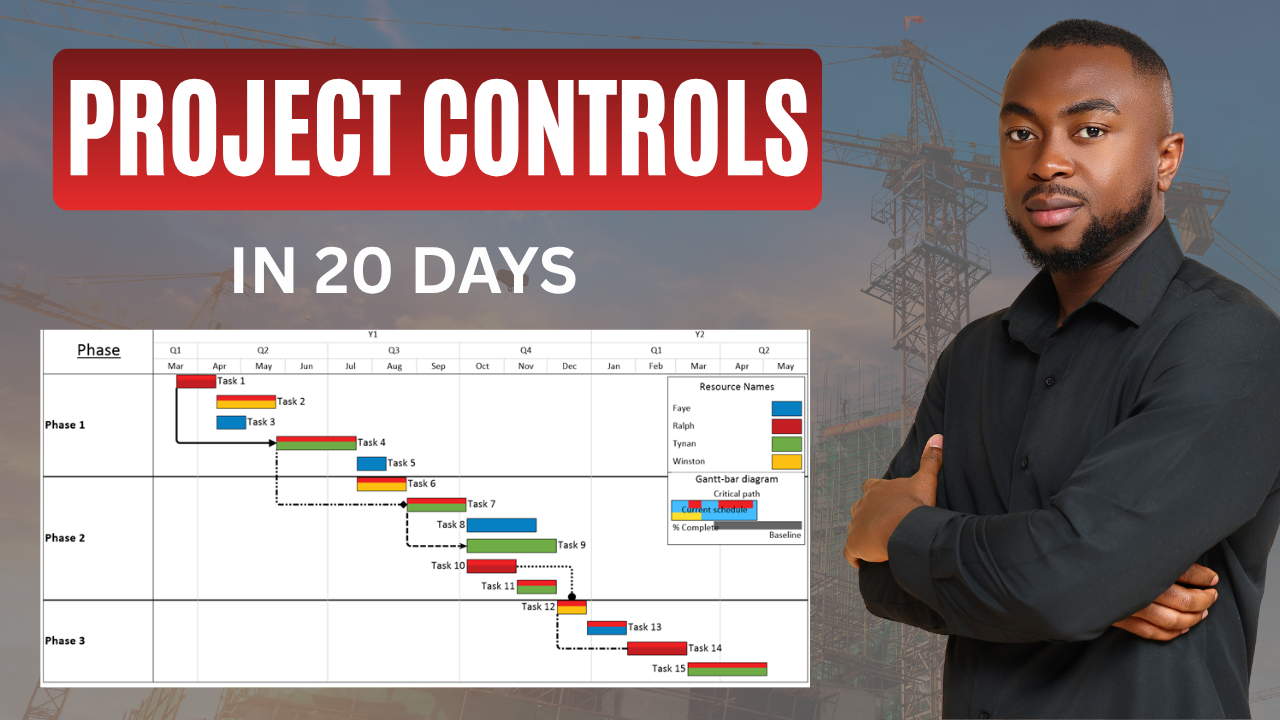
Learn Project Controls and Project Analytics from Clement Boateng, an Analytics Consultant and a Certified Project Management professional with extensive experience in Project Management, Project Controls and Data Analytics. Clement combines his project controls background with technical expertise in Power BI and Project Analytics to help professionals understand how project data can be used to monitor schedules, costs, and overall project performance. His approach focuses on practical, hands-on learning designed to help students build skills they can apply in real-world project environments and confidently pursue Project Controls opportunities.

WHO IS THIS COURSE FOR?
This cohort is designed for people who want to enter or advance in project-focused careers, including:
- Career Changers - Looking to transition into Project Controls or project analytics.
- Project Professionals - Looking to strengthen their scheduling, cost, and performance skills.
- Construction & Engineering Professionals - Wanting to add project controls and analytics capabilities.
- Data Professionals - Interested in applying analytics to project management and construction data.
- Recent Graduates - Looking to develop practical, career-ready project skills in Project Controls.
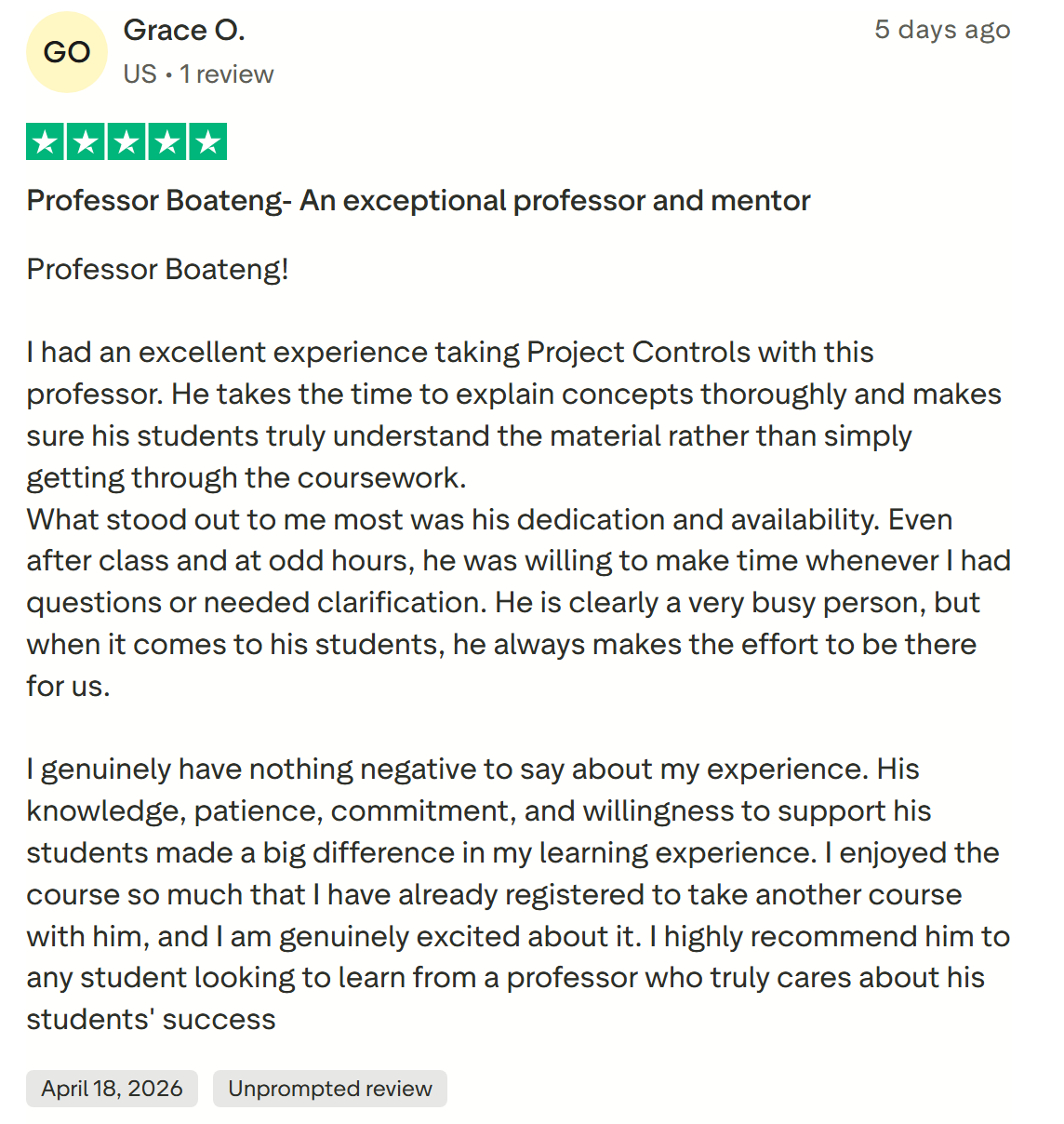
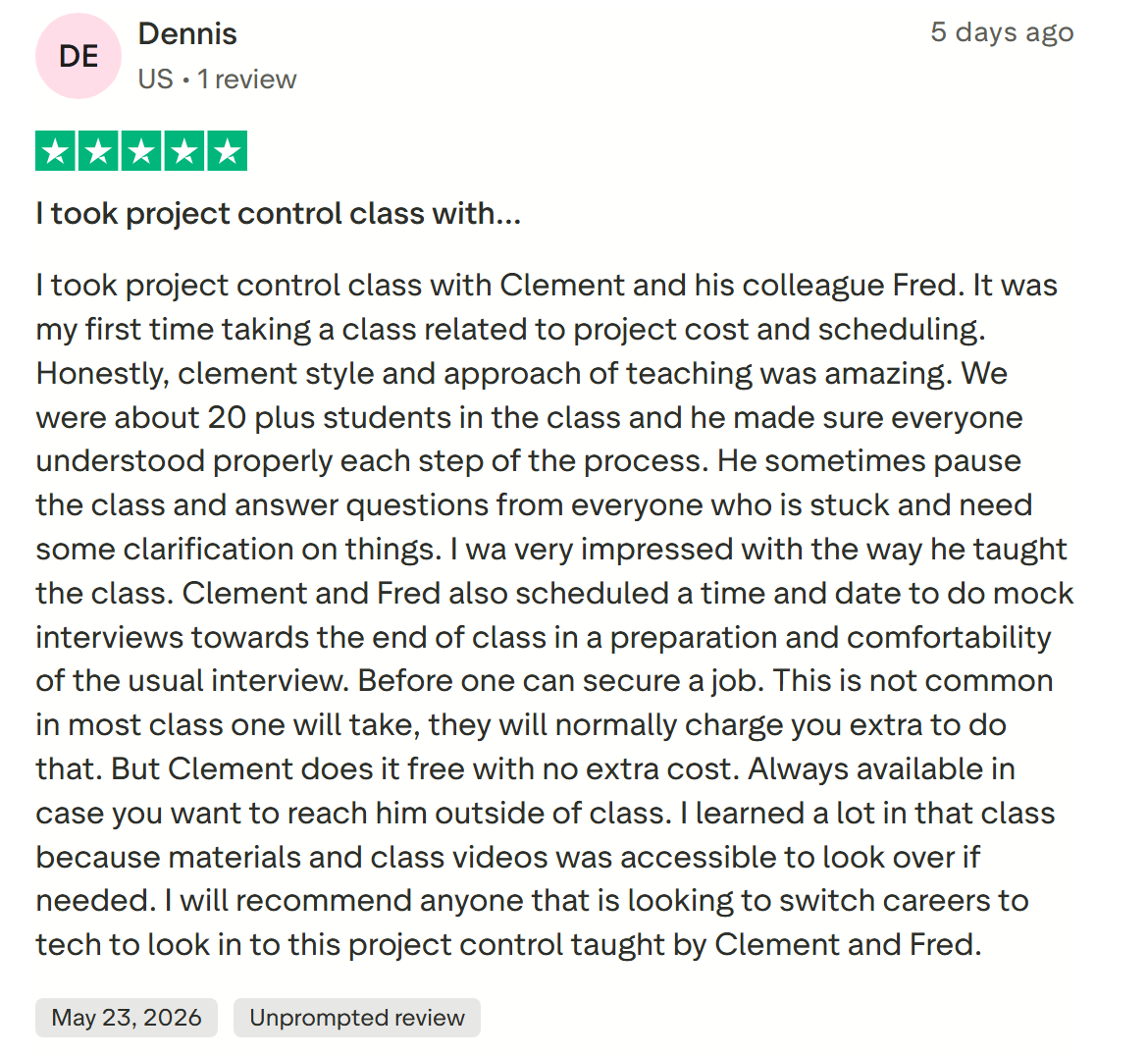
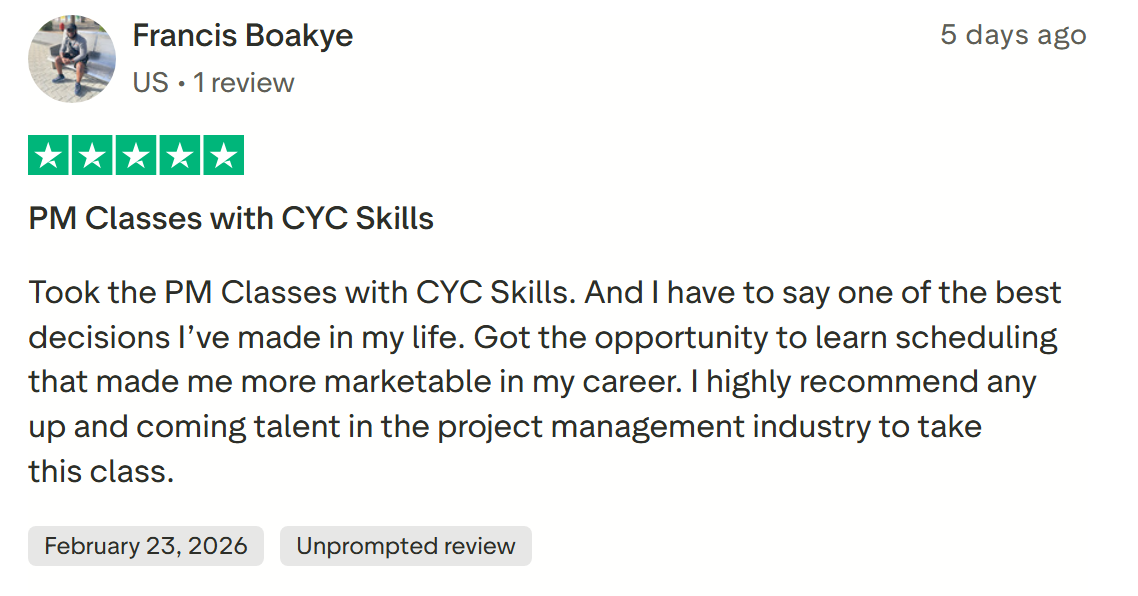
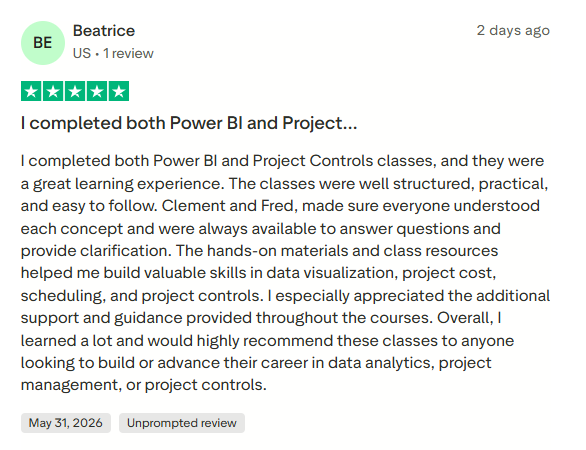
WHAT OUR STUDENTS ARE SAYING
WHAT JOBS CAN GET IN THIS FIELD?
Project Controls skills can prepare you for a variety of roles across construction, engineering, infrastructure, energy, and other project-driven industries.
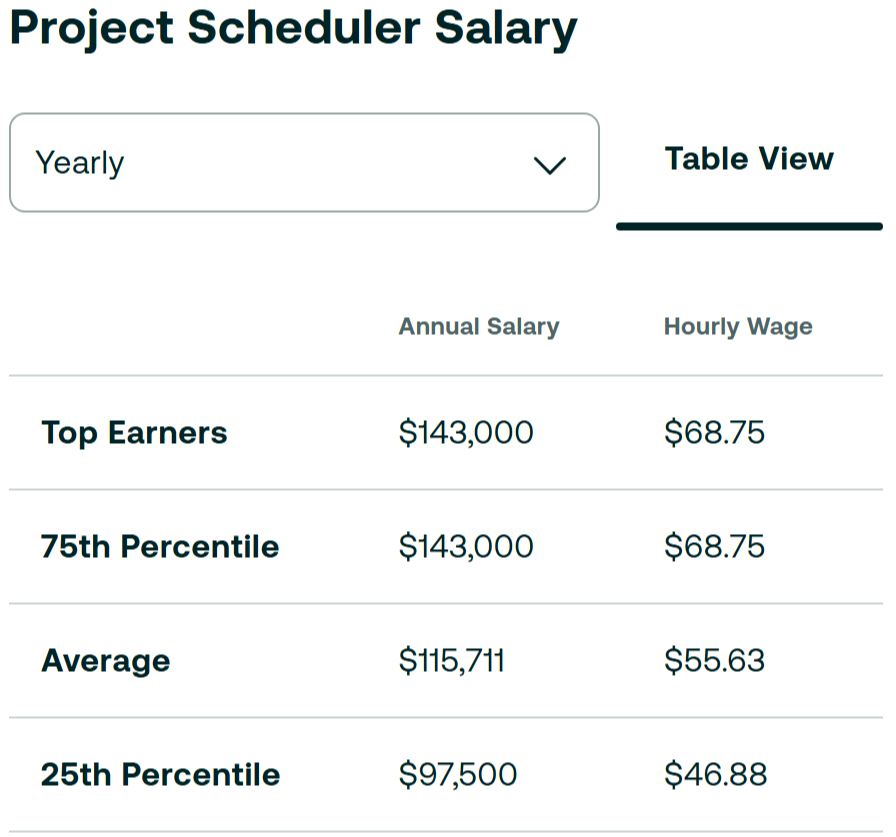
Project Scheduler
Develop, maintain, update, and analyze project schedules using tools such as Primavera P6.
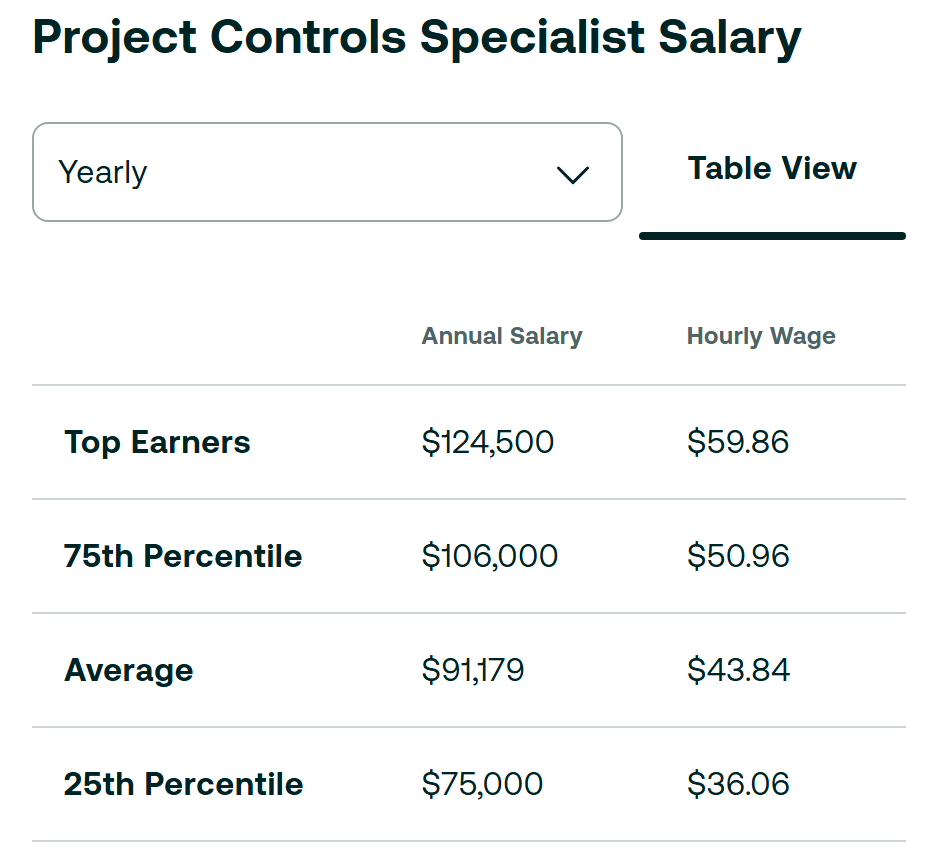
Project Controls Specialist
Analyze project schedules, costs, progress, and performance to help teams keep projects on track.
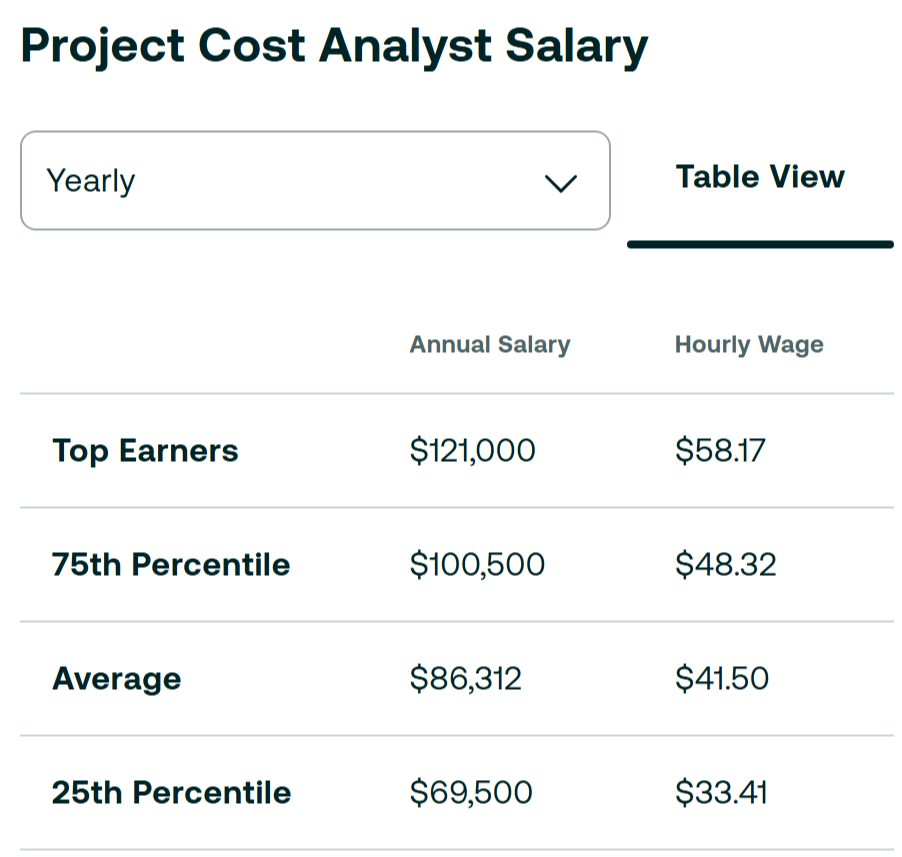
Project Cost Analyst
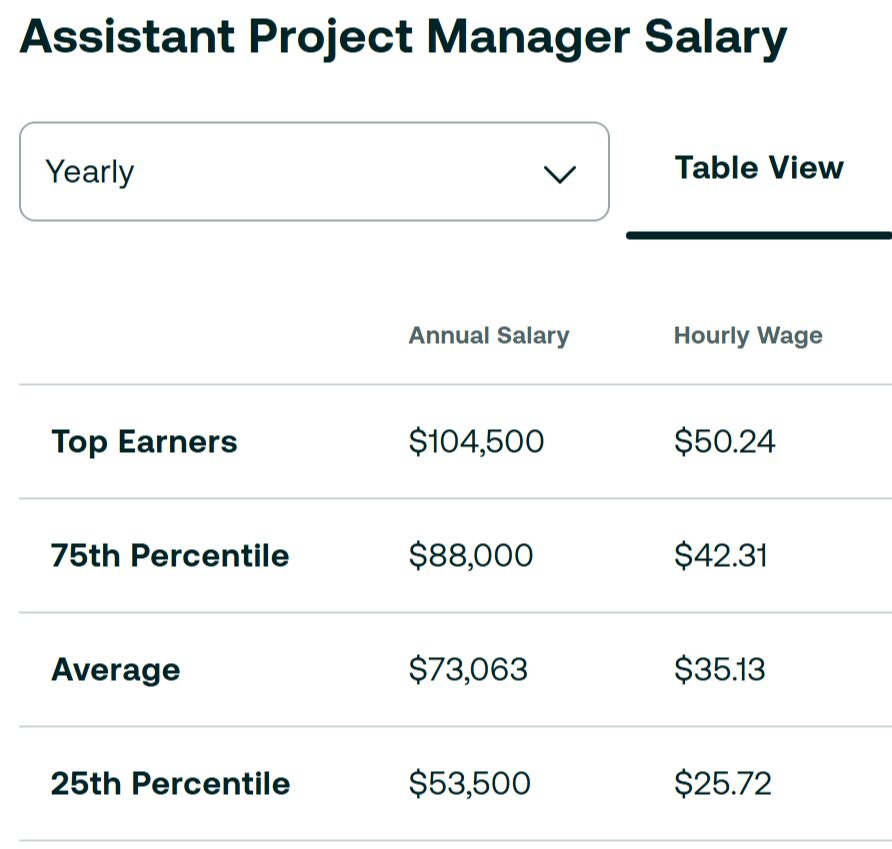
Assistant Project Manager
Support project planning, coordination, reporting, scheduling, and overall project delivery.
THE COHORT STRUCTURE
10-WEEK PROJECT CONTROLS BOOTCAMP - FEBRUARY 2027
-
WEEK 1- COURSE FUNDAMENTALS & SOFTWARE
2 lessons- DAY 1: MEET YOUR INSTRUCTORS, BOOTCAMP NAVIGATION, INSTALL PRIMAVERA P6 & MICROSOFT EXCEL
- DAY 2: PROJECT MANAGEMENT FUNDAMENTALS
-
WEEK 2 – ESTIMATING & RISKS
2 lessons- DAY 3: COST ESTIMATING METHODS
- DAY 4: RISKS VS. ISSUES
-
WEEK 3 – INTRO TO PROJECT SCHEDULING
2 lessons- DAY 5: INTRODUCTION TO PROJECT SCHEDULING & IMPORTANCE
- DAY 6: PRECEDENCE DIAGRAMS & LOGIC ANALYSIS
-
WEEK 4 – PRECEDENCE SCHEDULING & P6 INTRO
2 lessons- DAY 7: HANDS-ON NETWORK DIAGRAM PRACTICE EXERCISE
- DAY 8: P6 - INTROS & INTERFACE NAVIGATION
-
WEEK 5 – P6 PROJECT SETUP
2 lessons- DAY 9: P6 - SETTING UP A PROJECT
- DAY 10: P6 – LEADS & LAGS, CALENDARS, AND BASELINES
-
WEEK 6 – P6 COST LOADING & ACTIVITY CODES
2 lessons- DAY 11: P6 - RESOURCE AND COST LOADING
- DAY 12: P6 – FORECASTING, ACTIVITY CODES AND USER DEFINED FIELDS
-
WEEK 7 – P6 PROGRESS REPORTING
2 lessons- DAY 13: P6 - SETTING UP PROJECTS FROM TEMPLATES
- DAY 14: P6 -PROGRESS REPORTING & PROJECT UPDATE MEETINGS
-
WEEK 8 – EARNED VALUE MANAGEMENT
2 lessons- DAY 15: EARNED VALUE MANAGEMENT
- DAY 16: EARNED VALUE MANAGEMENT – PRACTICAL APPLICATION & FORECASTING
-
WEEK 9 – PROGRESS REPORTING & POWER BI IN PROJECT CONTROLS
2 lessons- DAY 17: COST AND SCHEDULE PROGRESS REPORTING
- DAY 18: POWER BI IN PROJECT CONTROLS
-
WEEK 10 – CAREER MASTERY AND WRAP UP
2 lessons- DAY 19: LANDING A JOB IN PROJECT CONTROLS
- DAY 20: CAPSTONE PROJECT & FINAL OVERVIEW
PROJECT CONTROLS MENTORSHIP - FEBRUARY 2027
-
MENTORSHIP ROADMAP
10 lessons- WEEK 1 - Project Controls Career Kickoff
- WEEK 2 - Build a Project Controls Resume
- WEEK 3 - LinkedIn Optimization & Personal Branding
- WEEK 4 - Job Search & Application Strategy
- WEEK 5 - Project Controls Interview Masterclass
- WEEK 6 - Technical Interview Workshop
- WEEK 7 - Mock Interview #1 — Technical
- WEEK 8 - Mock Interview #2 — Behavioral & Situational
- WEEK 9 - Full Project Controls Interview Simulation
- WEEK 10 - Career Launch & 90-Day Job Strategy
By the End of the Cohort, You'll Be Able To:
- Build and analyze project schedules
- Work with Primavera P6
- Track project costs and performance
- Apply Earned Value Management
- Analyze project data
- Build project performance reports
- Create Power BI project dashboards
- Explain project performance to stakeholders
- Prepare for Project Controls interviews
- Position your skills for Project Controls opportunities
Frequently Asked Questions
How long is the course, and when are classes held?
Do I need prior Project Management or Project Controls experience?
What Scheduling software will I use?
Will I work with real world data?
Will I build hands-on projects?
Will I receive a certificate after Completion?
Will I have access to the course after it ends?
Your Next Career Move Starts Here
You don't need to spend years trying to figure out Project Controls on your own.
Learn the tools.
Build the skills.
Complete practical projects.
Prepare for the job market.
Join the Project Controls Cohort and start building your career in Project Controls and Project Analytics.